What is Grade AI? The app that grades paper tests with a phone
Grade AI is a phone and web app for teachers. You write a multiple-choice test, print one answer sheet per student, scan the sheets with your phone, and the grades are saved.
In short: Grade AI is an app for teachers who give multiple-choice tests on paper. You make the test in the app, yourself or with AI, print one sheet per student, and scan the filled-in sheets with your phone camera. Each grade is saved the moment its sheet is scanned, and the app shows what the whole class got wrong.
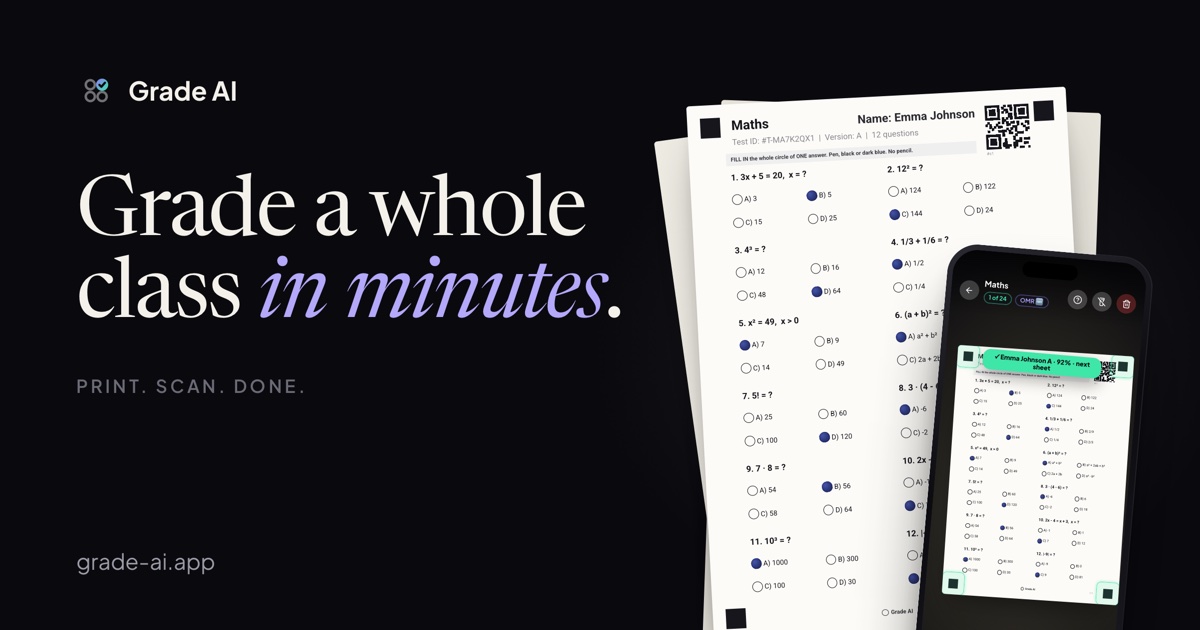
What Grade AI does
Grade AI takes the slow part out of paper tests: checking every answer, adding up the points, working out the grade and writing it down. Students still write on paper with a pen. The teacher uses a phone.
It works in four steps:
- Create the test. Type the questions yourself, or let AI draft them from a topic or from your own notes (photos, PDFs, Word documents).
- Print the sheets. Every student gets their own sheet with their name, a QR code, the questions and a circle for each answer, A to D.
- Students fill in the circles. One whole circle per question, with a black or dark blue pen.
- Scan with your phone. Point the camera at a sheet. The app reads the circles, works out the grade on your grading scale and saves it.
The full walkthrough is in How to grade a multiple-choice test with your phone.
Who it is for
Grade AI is made for teachers who test on paper: primary and secondary school teachers, university lecturers, and trainers who run courses in companies. It fits any subject where a question has one right answer out of four, from maths and physics to history, languages and biology.
It is a good fit if you:
- give short tests to whole classes often,
- want students to write on paper, not on phones or laptops,
- want to know which questions the class got wrong, not just the average.
What makes it different
The questions are on the answer sheet. Many bubble-sheet tools print a separate answer grid, and students copy their answers across from a question paper. In Grade AI the questions and the circles are on the same page: one sheet per student, nothing to match up.
Each sheet knows whose it is. The QR code on the sheet holds the student and the test version. You can scan the pile in any order and every grade lands with the right student.
No special scanner and no special paper. The sheets are plain black and white and print on any printer, from a computer or a phone. The phone camera does the reading.
Two versions against copying. You can print version A and version B and decide who writes which. With AI, version B gets its own questions on the same material. More in Two versions of a test.
What you see after scanning
- The grade of each student, on your grading scale: presets for ten countries, or your own.
- Class averages, progress over time and a ranking.
- An answer breakdown for every question: how many students picked A, B, C and D.
- A "Reteach tomorrow" card with the question the class found hardest.
- Who has not written the test yet, per test and per student.
Where it runs
| Phone app (iPhone, Android) | Web (browser) | |
|---|---|---|
| Create and edit tests | Yes | Yes |
| AI questions | Yes | Yes |
| Print answer sheets | Yes | Yes |
| Scan answer sheets | Yes | No |
| Results and statistics | Yes | Yes |
| Buy the subscription | Yes | No |
Scanning needs a steady live camera preview, which browsers do not give reliably, so it happens in the phone app. The account is the same in both. The phone app also works offline.
Languages
The app, the website and the printed sheets come in ten languages: English, Czech, German, French, Slovak, Spanish, Polish, Dutch, Italian and Romanian.
Price
One subscription covers the phone app and the web. The App Store and Google Play charge it in your own currency and show the exact amount before you pay. Every account can try it free once: 14 days, or 30 days with a partner code.
What Grade AI does not do
- It grades multiple-choice questions only, with answers A to D. Open questions and essays still need a person.
- It does not export grades to school information systems. If your school keeps grades in an online register, you copy them there yourself.
- Scanning and buying the subscription happen in the phone app, not in the browser.
Frequently asked questions
Is Grade AI free?
You can try it free for 14 days, or 30 days with a partner code, once per account. After that it is a paid subscription, priced by country.
Do students need the app?
To write a test, no: they need a pen. To get onto your class list, each student joins once with the class code you give them. With the same ID and PIN they can later look at their own grades.
Do I have to use the AI?
No. You can write every question yourself. The AI only drafts questions, and you review and edit them before anything is printed.
Does it work with any printer?
Yes. The sheets are plain black and white. A4 holds up to 20 questions, A5 up to 12, and half of an A4 page up to 10. You can print from a computer or a phone.
Where is student data stored?
Classes, tests and grades are stored in a database in the European Union. Answer sheets are read on the phone, and the photos are not uploaded anywhere. Details in What Grade AI stores about students.
Try it on your next test.
Set up a class, print the sheets, see how long it takes. Scanning happens on the phone. Building and printing work in the browser too.